


By: Anushka Verma
Published: November 1, 2025
Introduction
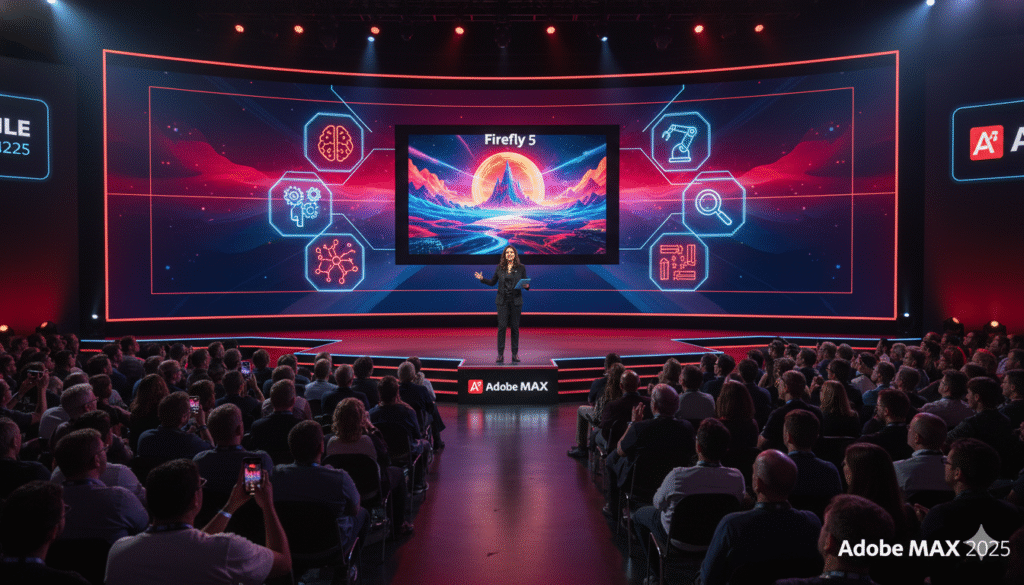
At the Adobe Max 2025 conference held in Los Angeles, California, the creative software giant unveiled a lineup of innovations that redefine how artists, editors, and designers work in the era of artificial intelligence.
The spotlight was firmly on Adobe Firefly Image 5, the company’s next-generation AI image-generation model featuring layered image editing, advanced realism, and intelligent prompt-based controls. Alongside this, Adobe launched its Soundtrack Generator for Premiere Pro, introduced AI Assistants across Creative Cloud, and revealed updates to its pricing plans — offering creators more flexibility and power than ever before.
In short, Adobe’s 2025 announcements signal a bold shift: from tools that assist creativity to AI that collaborates creatively.
Adobe Max 2025: Where Creativity Meets Intelligence
Every year, Adobe Max sets the benchmark for creative innovation, and the 2025 edition was no different. This year’s theme, “Intelligence in Creativity,” highlighted Adobe’s mission to seamlessly blend human imagination with machine precision.
Held from October 28–30, 2025, the hybrid event featured both in-person sessions in Los Angeles and virtual workshops streamed globally. Creators, educators, and digital artists attended demonstrations showcasing how Firefly and Creative Cloud AI are transforming creative workflows.
Some key moments included:
- Real-time AI-powered photo creation with Firefly Image 5
- Seamless video soundtrack generation using text prompts
- Personalized creative suggestions via the new AI Assistant
- Faster collaboration and performance boosts across Adobe apps
Adobe’s leadership emphasized that AI will not replace artists, but rather enhance their creative control and speed — allowing more time for imagination and storytelling.
Firefly Image 5: The Future of Generative Imaging
The star of the show, Firefly Image 5, is Adobe’s most advanced image-generation model to date. Building upon the foundation of Firefly 4, it introduces revolutionary improvements in texture realism, lighting accuracy, edge control, and layer-based editing.
For the first time, users can generate AI images with editable layers, meaning each object or element in a scene can be individually modified — resized, color-corrected, or replaced — without re-rendering the entire composition. This makes it ideal for both professional designers and content creators.
Major Highlights of Firefly Image 5
- Layered Image Generation: Create images where every component is editable — perfect for complex compositions.
- Prompt-Based Editing: Simply describe changes like “add sunset light” or “replace background with urban skyline,” and Firefly does the rest.
- Smarter Lighting & Shadows: Enhanced diffusion models now mimic real-world lighting and depth.
- High-Resolution Output: Up to 8K resolution generation with near-zero artifacts.
- Inpainting & Outpainting: Fill missing parts of an image intelligently or extend the canvas naturally.
- Style Customization: Apply design aesthetics such as watercolor, cinematic tone, or hyperrealistic render in a single prompt.
This combination of control and creativity sets Firefly Image 5 apart from traditional AI models like Midjourney or DALL·E. It gives professionals the ability to stay within Adobe’s trusted ecosystem while leveraging AI’s flexibility.
Layered Editing: A Revolution Inside Photoshop
One of the biggest integrations of Firefly 5 lies inside Photoshop 2025. The new update allows users to generate and edit AI layers directly within Photoshop’s Layer panel — a massive productivity leap.
You can now:
- Select an existing layer and type a text prompt like “turn this dress into red silk fabric”
- Add new AI-generated objects that automatically blend with lighting and perspective
- Adjust depth of field, shadows, and reflections in real-time
- Use Generative Expand to enlarge or reshape images without losing quality
This layered approach makes AI editing as controllable as manual design — a key request from professionals who needed more precision.
Adobe also introduced a new “Prompt History” tab, allowing users to revisit past prompts and reapply them with modifications. This turns Photoshop into a truly iterative design platform powered by Firefly.
Firefly in Illustrator: Smarter Vectors with AI
For vector artists, Illustrator 2025 now uses Firefly to generate editable vector illustrations from text prompts. The new feature, called Vector Variations, can create scalable designs in seconds.
For instance, a designer can type:
“Minimalist floral logo in pastel tones”
and Illustrator instantly produces multiple variations that are all editable anchor paths, not static images.
The Generative Recolor tool has also been enhanced with context-aware intelligence — it understands themes, emotions, and even brand palettes. You can prompt:
“Recolor this design for Diwali festival mood”
and Adobe’s AI automatically adjusts hues, contrasts, and saturation levels to match festive tones.
AI-Powered Soundtrack Generator for Premiere Pro
One of the most exciting announcements was Adobe’s new AI Soundtrack Generator for Premiere Pro 2025.
This tool automatically composes and syncs background music based on your video’s tone, duration, and emotional context. Using natural language prompts, editors can simply type:
“Create a cinematic ambient track with rising intensity”
and Premiere generates a soundtrack that dynamically adjusts to scene changes.
Key Features:
- Adaptive Scoring: Music adapts to pacing and transitions.
- Emotion Detection: AI analyzes video content to match mood.
- Royalty-Free Tracks: All AI-generated soundtracks are copyright-safe.
- Audio Blending: Smoothly transition between AI and manual edits.
For content creators and YouTubers, this could eliminate the hassle of browsing endless stock music libraries.
AI Assistants Across Creative Cloud
Adobe also introduced AI Assistants — a new generative helper integrated throughout Creative Cloud apps.
Think of it as Adobe’s version of ChatGPT, but for creative tasks.
You can ask it to:
- Suggest layout ideas for your poster
- Generate color palettes based on brand mood
- Summarize design layers or recommend export settings
- Automate repetitive steps (like resizing for multiple social media platforms)
It also integrates with Creative Cloud Libraries, meaning it understands your past projects, brand colors, and preferred typography.
In apps like Premiere Pro, the AI Assistant can automatically cut silent sections, rearrange clips, and even generate captions from transcripts. This feature clearly aims to empower professionals and beginners alike.
Performance Upgrades and Cloud Collaboration
Beyond AI, Adobe made major strides in speed and cloud optimization this year.
Creative Cloud apps now launch 35% faster, and files sync across devices in real time. The new Adobe Cloud Canvas allows multiple users to edit the same file simultaneously — much like Google Docs, but for design.
For teams, version control and comment tracking have been overhauled, making collaboration easier for remote creative studios. Adobe also hinted at browser-based editing expansions for Photoshop and Illustrator in 2026.
Pricing and Subscription Updates (2025)
Adobe announced a refreshed Creative Cloud pricing model to align with its AI-first vision.
| Plan | Price (Monthly) | Key Features |
|---|---|---|
| Individual (All Apps) | $64.99 (≈ ₹5,400) | Full access + Firefly Credits + AI Assistant |
| Photography Plan | $14.99 (≈ ₹1,250) | Photoshop, Lightroom, Firefly Web |
| Premiere & After Effects Plan | $32.99 (≈ ₹2,750) | Includes Soundtrack Generator |
| Team Plan | $89.99 (≈ ₹7,500) | Collaboration tools + Extended cloud storage |
| Students & Educators | $19.99 (≈ ₹1,650) | Full suite with 1TB storage |
New plans include Firefly Credits, which allow a specific number of AI generations per month. Additional credits can be purchased, giving flexibility for power users.
The Creative Impact: What This Means for Artists
Adobe’s latest wave of AI upgrades doesn’t replace creativity — it redefines it. Firefly Image 5 gives artists fine-grained control, while the AI Assistant automates the boring parts of creation. The Soundtrack Generator frees editors from hours of sound searching, and the layered editing in Photoshop makes complex design faster and more intuitive.
For digital marketers, this means quicker campaign visuals. For filmmakers, faster edits. For educators and freelancers, it means producing professional-grade work without expensive hardware or massive time investments.
In essence, Adobe Max 2025 democratizes professional creativity — giving everyone the power of a digital studio in their laptop.
Expert Insights: Why Firefly 5 Is a Turning Point
Industry analysts have already begun calling Firefly Image 5 the “Photoshop moment of AI.”
Unlike other models, Firefly integrates directly into existing workflows. Designers don’t need to leave Photoshop to generate or refine AI images. It’s this seamlessness that sets Adobe apart from independent AI art platforms.
Moreover, the company’s ethical approach — training Firefly only on licensed and Adobe Stock images — ensures copyright safety, a huge relief for professional designers and businesses.
As creative work increasingly merges with generative models, Adobe’s ecosystem-first strategy gives it a massive competitive edge.
Final Thoughts
Adobe Max 2025 wasn’t just another tech conference — it was a milestone in the evolution of creativity.
With Firefly Image 5, Adobe proved that AI can be intelligent, ethical, and empowering. The new Soundtrack Generator and AI Assistant will save countless hours for creators, while the pricing updates make these tools more accessible.
As we step into 2026, one thing is clear: the future of design, video, and digital art will be co-created — by humans and intelligent tools, working side by side.